The following layout is for a four button triangle.
Click on the picture to make larger. LED orientation is shown with a triangle pointing to the cut-out on the negative side of the LED. Observe correct polarity when soldering.
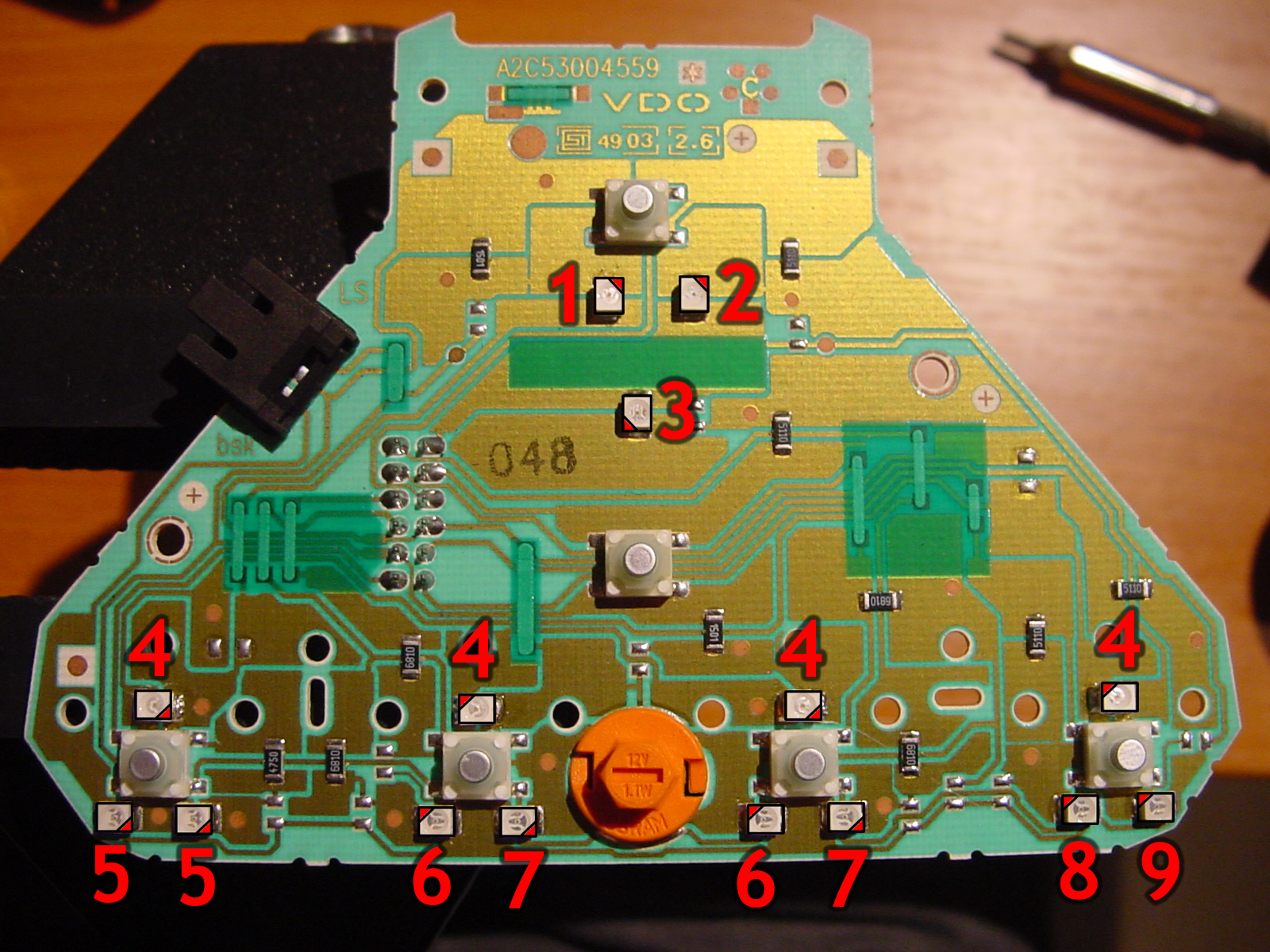
| No. | Type | OEM Colour | Function |
|---|---|---|---|
| 1 | PLCC-2 | Warm White | Key Icon |
| 2 | PLCC-2 | Red | Car lock status |
| 3 | PLCC-2 | Red | Hazard light button |
| 4 | PLCC-2 | Warm White | Button backlights |
| 5 | PLCC-2 | Orange | Rear window heater status |
| 6 | PLCC-2 | Red | Heated seats low temp status |
| 7 | PLCC-2 | Red | Heated seats high temp status |
| 8 | PLCC-2 | Red | Aircon low power status |
| 9 | PLCC-2 | Red | Aircon high power status |
| 10 | 509T | Warm White | Sliders backlight |
The following layout is for a two button mk1-5 triangle.

| No. | Type | OEM Colour | Function |
|---|---|---|---|
| 1 | PLCC-2 | Warm White | Key Icon |
| 2 | PLCC-2 | Red | Car lock status |
| 3 | PLCC-2 | Red | Hazard light button |
| 4 | PLCC-2 | Warm White | Button backlights |
| 5 | PLCC-2 | Orange | Rear window heater status |
| 6 | PLCC-2 | Red | Aircon low power status |
| 7 | PLCC-2 | Red | Aircon high power status |
| 8 | 509T | Warm White | Sliders backlight |
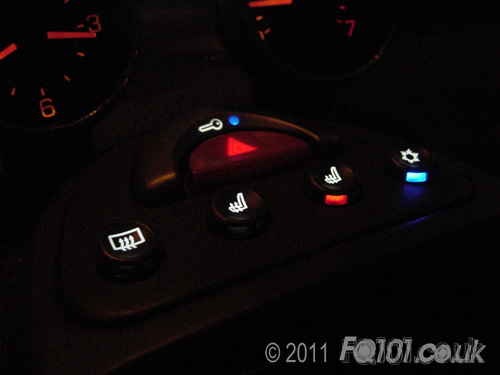
The following is an example of a four button triangle with white backlights, a blue lock status and blue status indicators for the aircon: